
Proxies
Generates proxies and thumbnails in the background.


Klipoly gathers the footage of your production company, studio or agency right where it is already stored and puts it within reach of the whole team. Search, preview, catalog and take a clip to your edit without copying or moving a single file.
For Mac · Works with Final Cut Pro
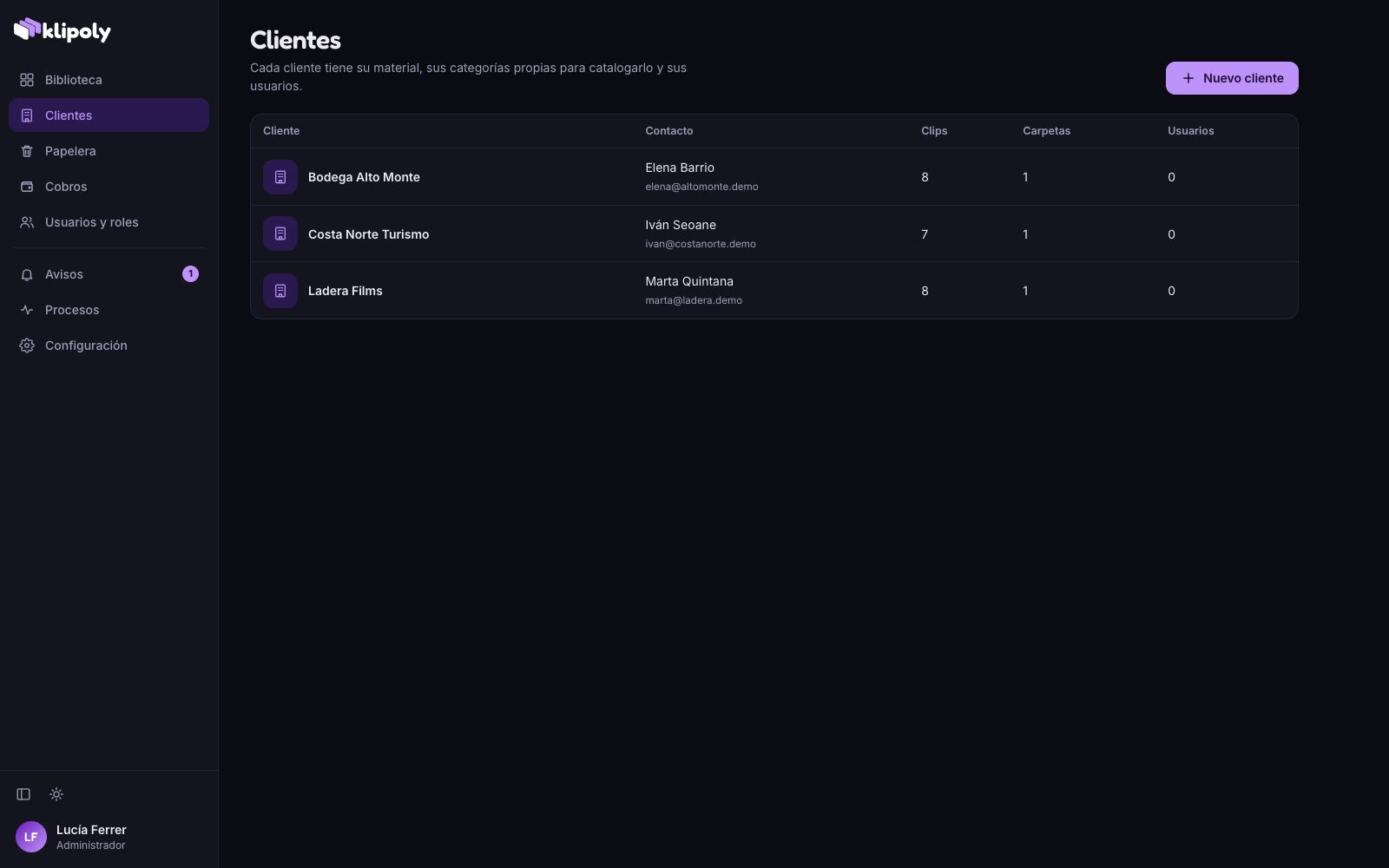
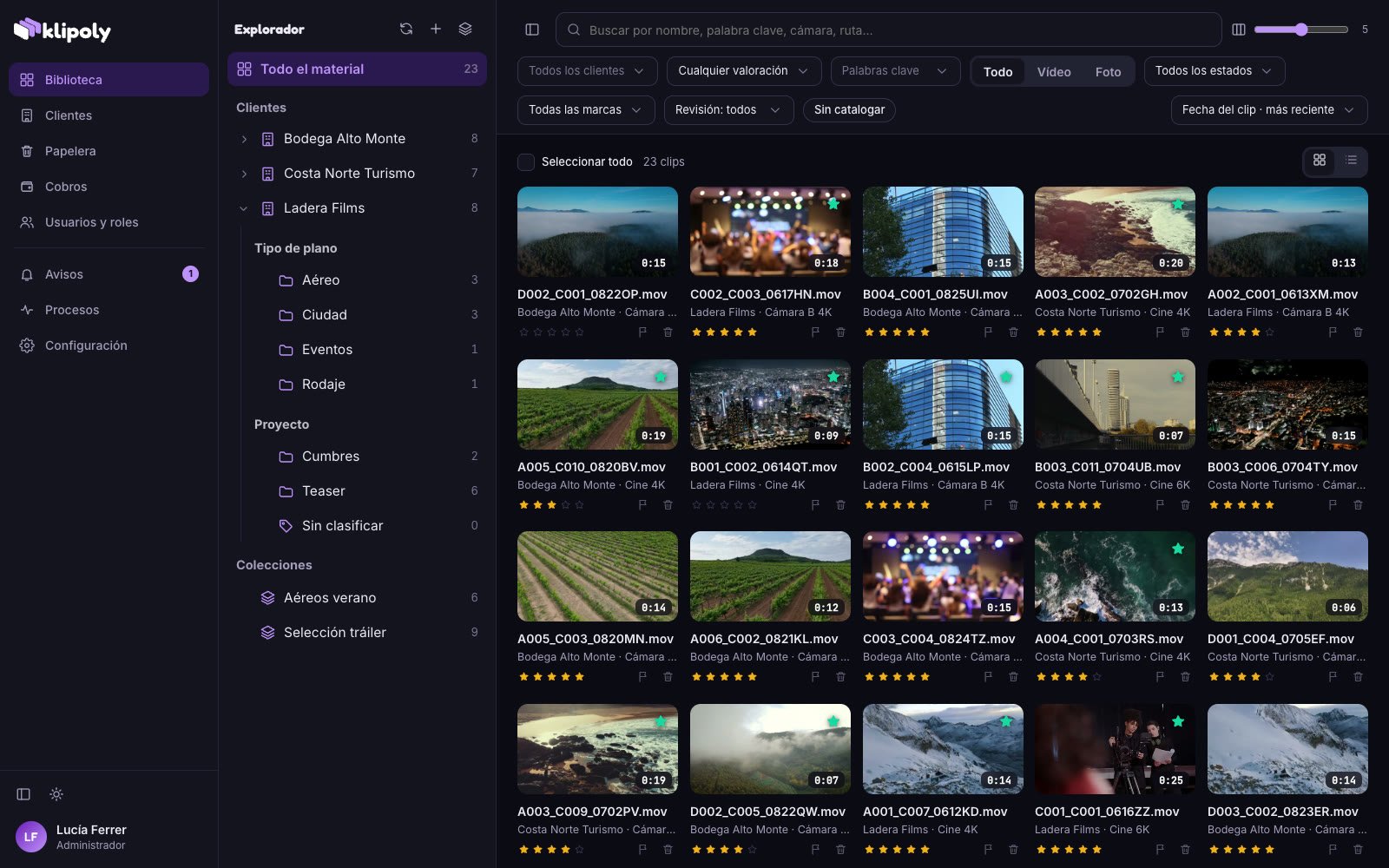
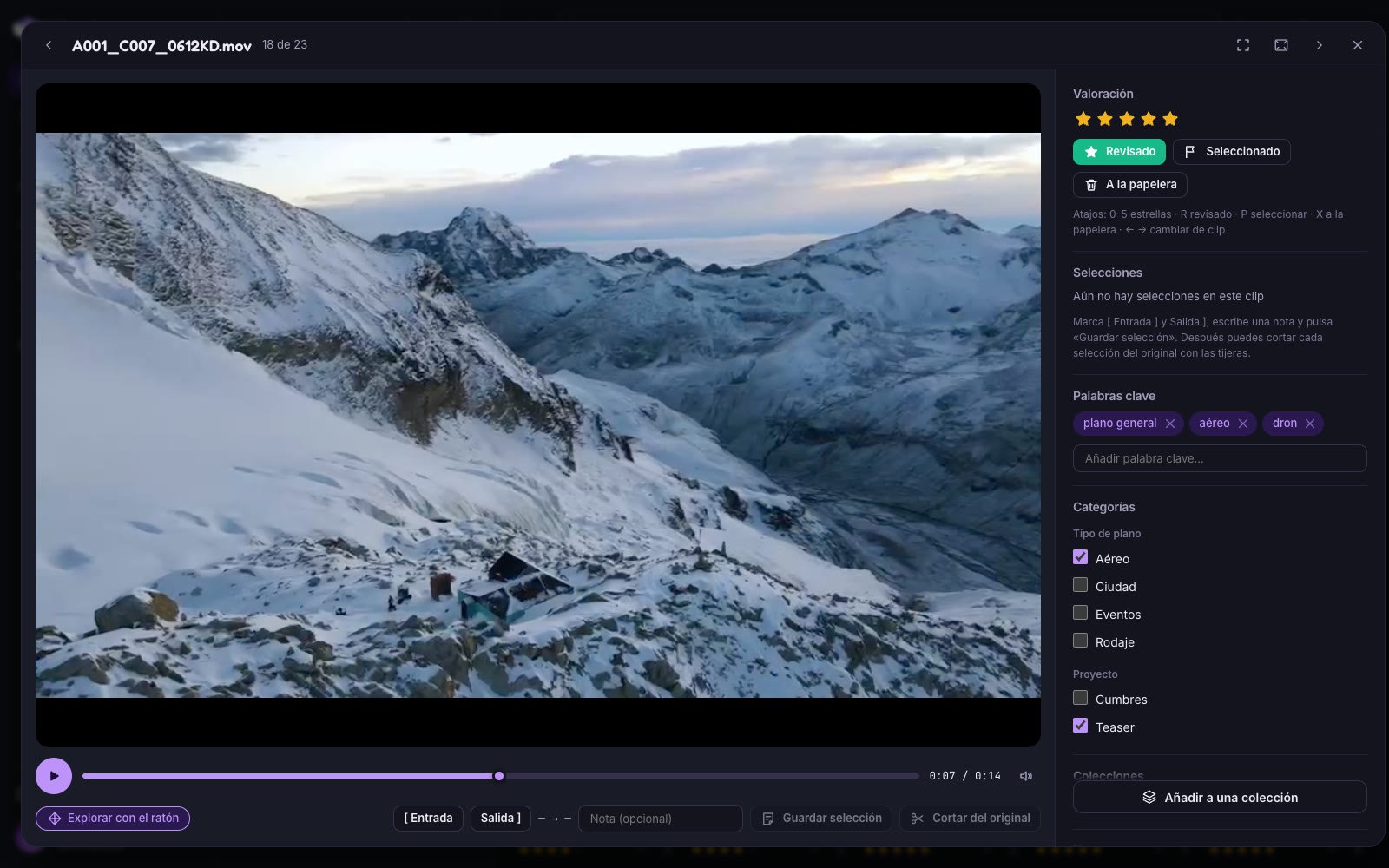
Built for production companies, studios, agencies and in-house video departments that shoot more than anyone can remember.
Klipoly reads your folders where they already live, on the NAS or on the server disk. It only stores information about your footage and lightweight previews so you can browse fast.
Editors, producers and archivists work on the same catalog, each with the permissions they need.
Find the shot, mark it and drag it into Final Cut Pro, linked to the original file.
The jobs that take hours today, in a single tool.
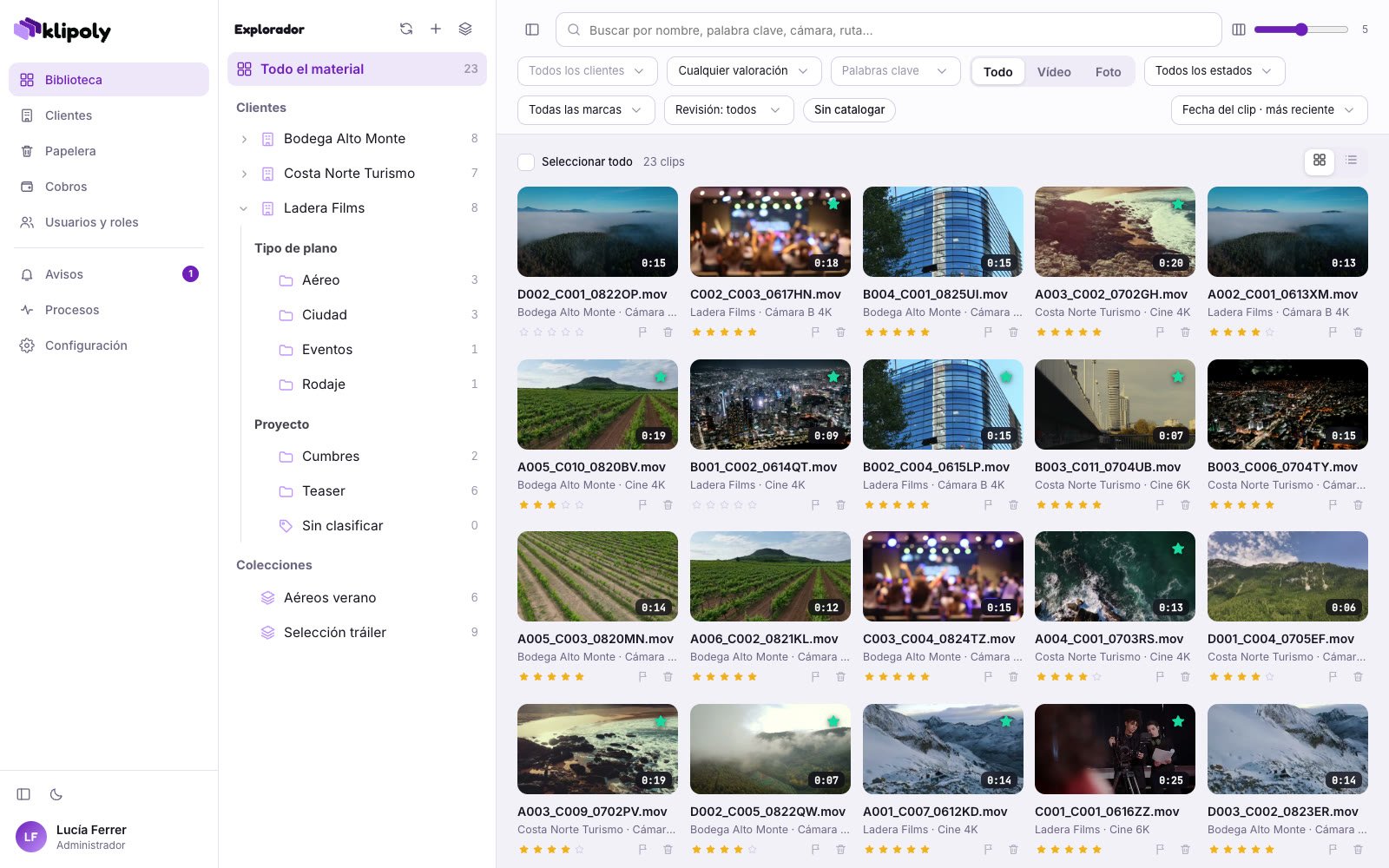
Type a name, a keyword, a camera or a date and Klipoly finds it among tens of thousands of clips. Scrub through them with your cursor and play with the space bar.
While you watch a clip you rate it, flag it and add keywords with keyboard shortcuts. And if you would like a hand, Klipoly can suggest a description, keywords and shot type with Claude, ChatGPT or Gemini: you bring your own key and review what the AI suggests before applying it.
Each client or project has its own categories, keywords and users. An agency can organize by campaign; an in-house video team, by department. You decide the structure.
Gather clips from any client or project into a collection to prepare a delivery, a rough cut or a review.
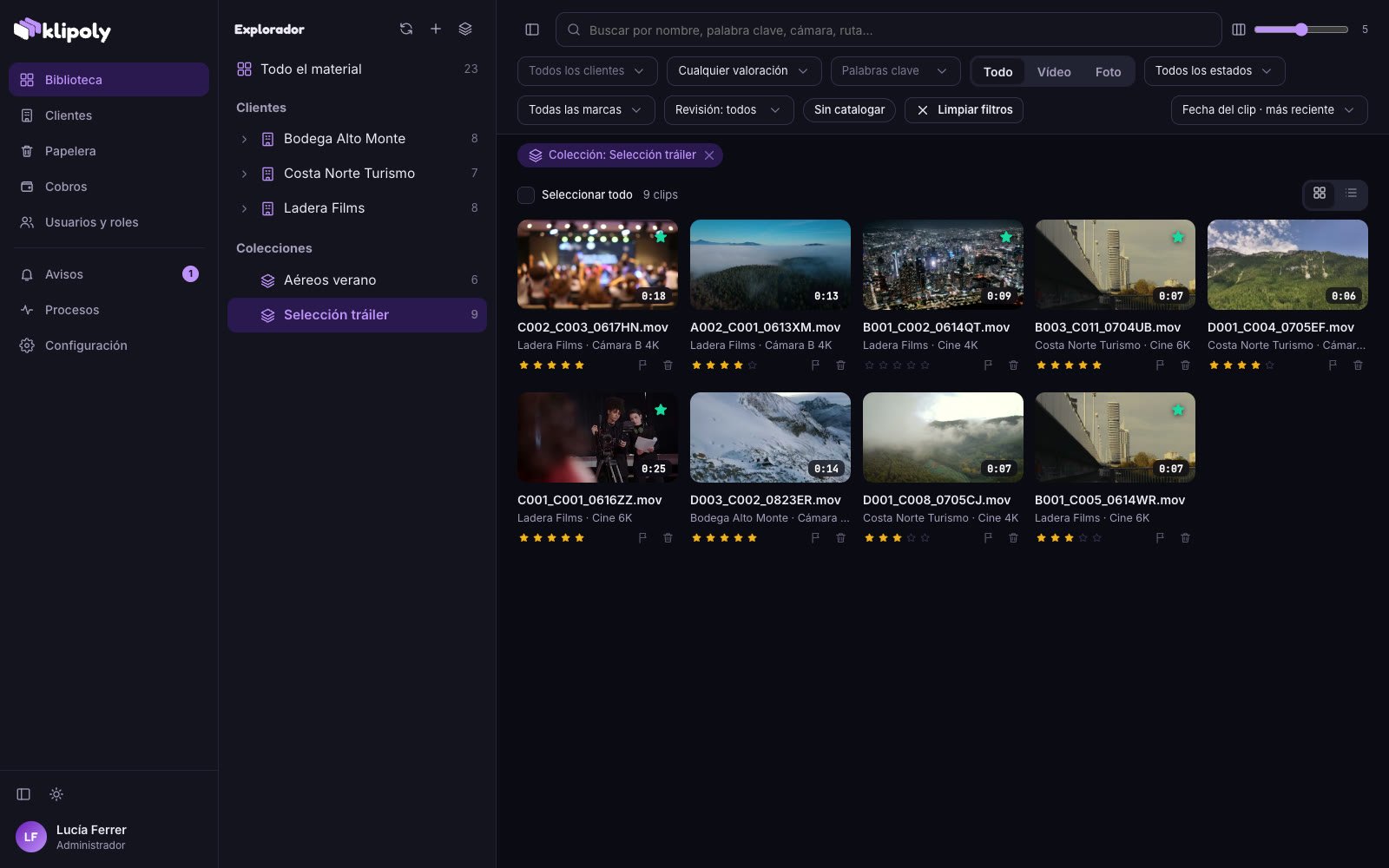
Klipoly lives inside Final Cut Pro as an extension. Search all of your team's footage and drop the clip on the timeline: it arrives linked to the original file, not a copy.
Generates proxies and thumbnails in the background.
Turns audio into searchable text without leaving your network.
Your work, safe and recoverable.
Spots new footage and indexes it while your team keeps working.
Users and roles. Everyone gets exactly the access they need.
Klipoly does not ask you to change the way you work or migrate your footage.
On a Mac that stays on, with access to your NAS or drives. It is a double-click installer.
Choose the folders for each client or project. Klipoly reads the metadata and prepares lightweight versions in the background.
Install the app on your team's Macs. It finds the server on its own on the local network, no IP addresses needed.
Every video team is different: people, clients, volume of footage. Tell us about yours and we will propose a license that fits.
No. Klipoly indexes it in place. It only stores information about your footage and generates lightweight versions and thumbnails.
The usual camera and editing formats, such as ProRes, XAVC, H.264 and H.265, plus photos. Camera RAW formats are not supported yet.
Yes. An extension opens inside Final Cut: you search and drag clips or ranges onto the timeline, linked to the original file.
No. You can catalog by hand, with keyboard shortcuts. The AI is optional: if you turn it on, you use your own Claude, ChatGPT or Gemini key and review what it suggests before applying it.
It is designed for teams of several people on the same network, each with their own login, role and the clients they are allowed to see.
Not to work: Klipoly runs on your local network. You need a connection to download updates and, if you use it, for AI cataloging.
A Mac with Apple Silicon and macOS 14 or later for the server, left on and with access to your storage. And the app on your team's Macs.
That is a future project. Desktop and Final Cut come first.
Tell us how you work and we will show you Klipoly with an example close to yours.